The full tour
How Pollinator Patch works
Every part of the app, in the order you would meet it: keeping the plants you have alive, and planning the ones you want next.
Last updated: October 2026
Short answer
You add the plants you already own, native or not, and Pollinator Patch tells you when to water each one based on how long it has been in the ground, warns you before a freeze, and gives you seasonal tasks timed to your ecoregion rather than a national calendar. When something looks wrong, it ranks the most likely causes against what you are seeing. When you are ready to add something, you answer three questions about the bed and get back a native planting plan, a Plan packet, and nearby nurseries that stock the plants.
Inside the app
Two spaces, five buttons, and Ask Patch
The bottom bar groups five buttons under two headings: Plants and Wildlife under Explore, Plan and Care under My Garden, with Home between them. Ask Patch floats on every screen, and Account sits behind the gear icon.
HOME
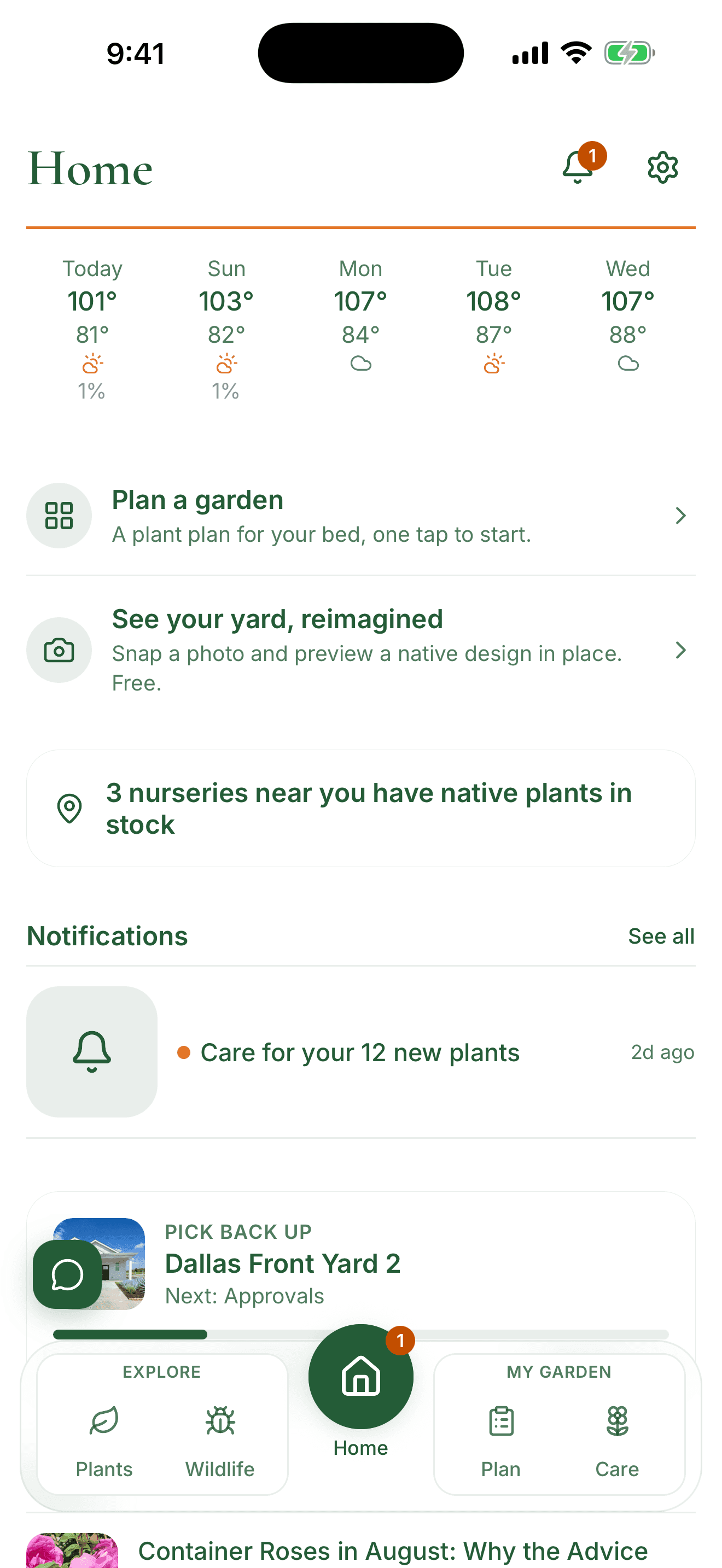
Home: this week and where you left off
Home opens on the two things that decide what you do this week: the weather, and the project already in progress.
- A five-day local forecast, including when rain is coming and when to expect a freeze
- A pick back up card that reopens your plan on the step you left it, with how far along you are
- The notification bell, where care reminders and finished renderings land
- Recent writing from the Xerces Society, the National Wildlife Federation, and the Lady Bird Johnson Wildflower Center
MY GARDEN, CARE
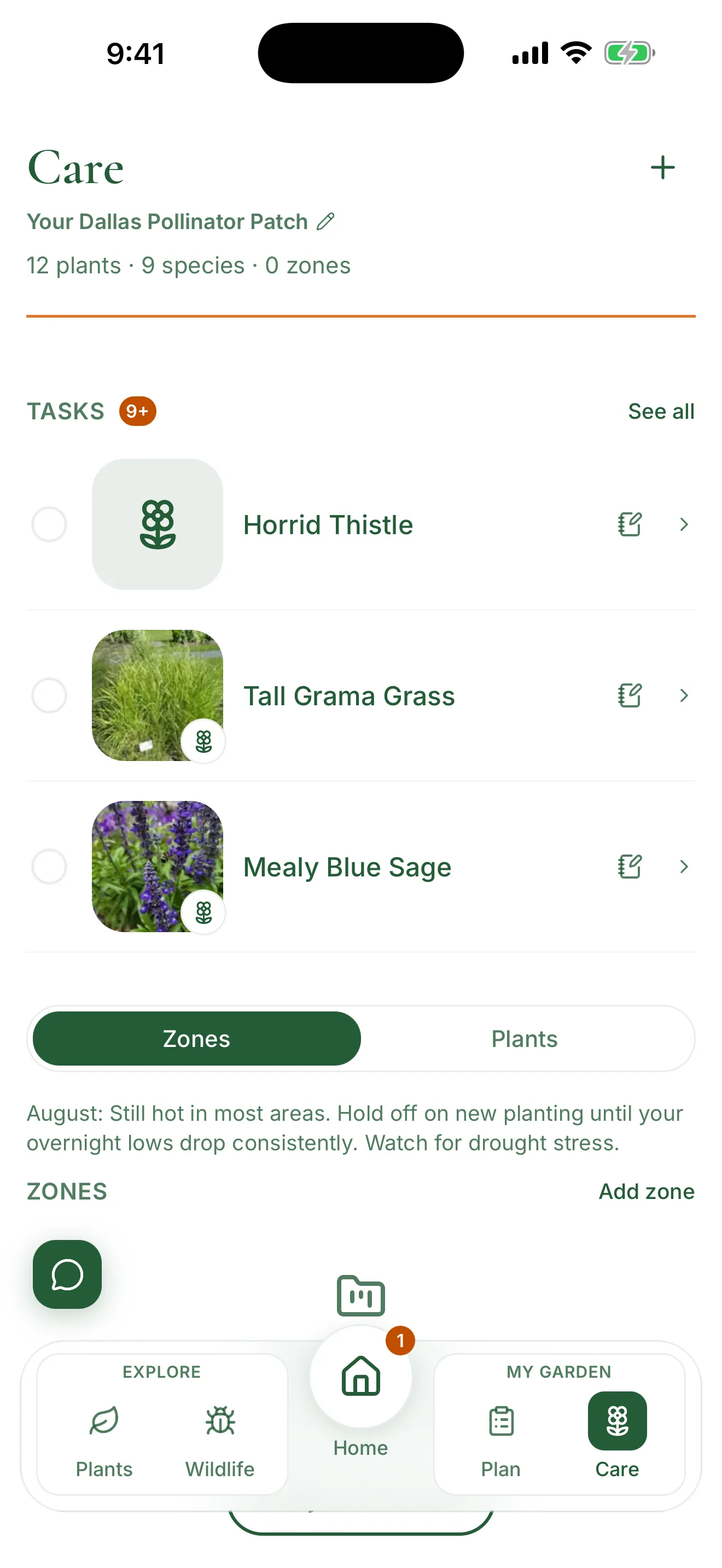
Care: watering tasks, your lawn, plant problems, Patch Score, the garden journal, and your life list
Care is the screen you keep coming back to, and the reason most people open the app at all. It tracks what you planted, when it needs water, and what changed. It covers the plants you already own, native or not: the add-plant search reaches beyond your local native list, and a plant it does not recognize is reviewed and usually gets care guidance within about a day.
- Your zones and plants, with watering reminders and seasonal, month-by-month tasks free for every plant, no cap
- Tasks you add yourself, like mulching a bed before summer
- Your lawn, treated as something to care for rather than something to apologise for. Add it from Add your lawn, pick your grass type (Bermuda, St. Augustine, zoysia, bahiagrass, centipedegrass, buffalograss, which is native, tall fescue, Kentucky bluegrass, perennial ryegrass, or fine fescue, or answer three questions if you are not sure which you have), and you get organic lawn care timed to your own frost dates: mowing height, watering depth, organic fertility, weed pressure, pest watching, and dormancy. No synthetic fertilizer, herbicide, or insecticide is ever recommended, and anything broad spectrum carries a pollinator warning even when it is organic. Free, and if you do not know which grass you have there is a short key based on blade shape and runners. Coverage grows region by region, and where it has not reached yet the app says so rather than showing you another area’s calendar. Each lawn also carries a lawn-reduction path: replacing part of it with a native bed, with your local turf-replacement rebate named where one exists.
- Patch Score, a free 0 to 100 read on how much your garden supports local wildlife, with a tier, a full breakdown, and the single best next thing to do
- A garden journal of photos and notes, tagged for blooms, pests, wildlife, and maintenance
- A life list of the butterflies and bees you have seen in your own yard, built from the wildlife entries in your journal, with a Could visit section naming the species whose host plant is already in your garden. Free, and opened from the journal or the Patch Score.
- What’s wrong with my plant, one free check a month with Pro unlimited: tell it what you are seeing and answer a few questions about the pot, and it ranks the most likely causes, says which of your answers put each one on the list, and gives you one thing to check for each. Some causes carry a photo to compare your own plant against, because telling a leafcutter bee’s neat notch from a slug’s ragged hole is easier to see than to read. You can attach a photo of the problem, which is saved to that plant’s garden journal. It covers yellowing leaves, wilting, soil that dries out in a day, a pot with no drainage hole, curling leaves, holes, black spots, tiny flies around the soil, a perennial that did not return, brown crispy leaf tips, a new plant dying right after planting, bugs on the plant, white stuff on the leaves, a plant that is tall, leggy or falling over, and a plant that is not growing. It ends with a link to your own county Extension office, which is never gated.
- A Share your plan link that turns the plants your plan put in your garden into a free one-page plan to print or send
- A History section on every plant, recorded automatically: when you planted it, every watering and rain skip, tasks you finished, journal notes and photos, saved problem checks, and past conversations about that plant. The three most recent entries are free to read and the full history is Pro.
EXPLORE
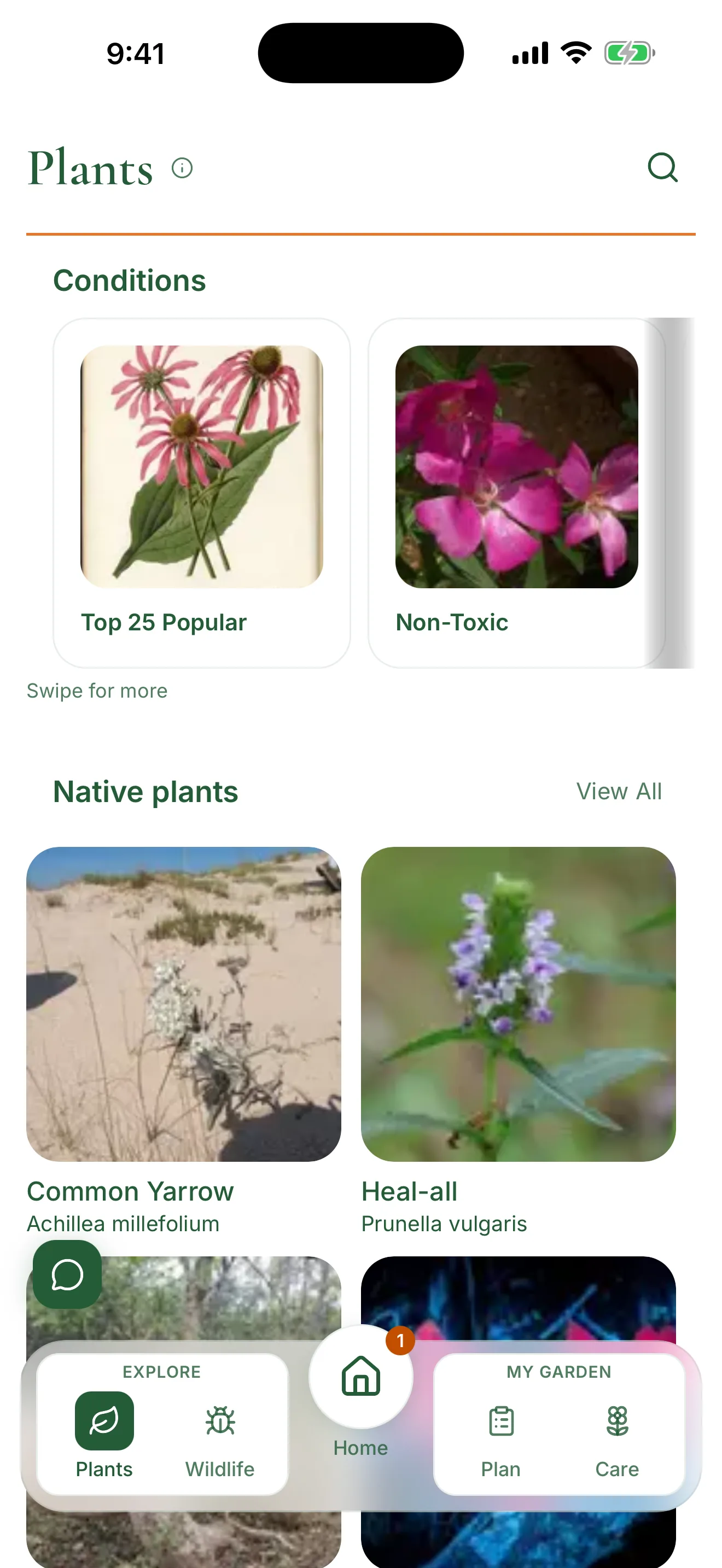
Explore: plants, wildlife, and what nurseries have in stock
Explore is the reference half of the app. Browse by plant or by the wildlife you want to bring in, then check who nearby actually sells it.
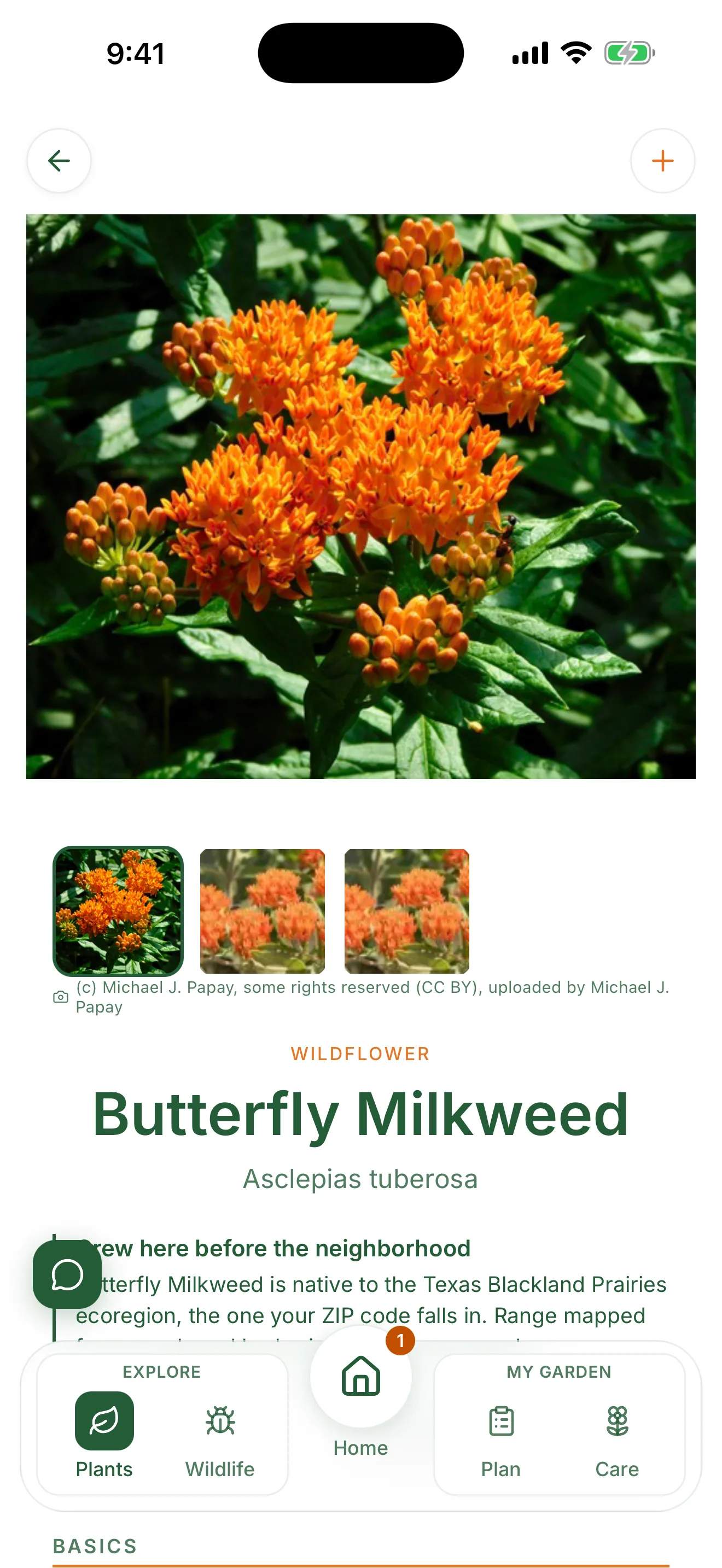
- Native plants with photos, bloom season, mature size, and pet toxicity notes
- Filters that matter for a front yard, including HOA-Friendly, sun, water, hummingbird plants, and deer resistant
- A line on each plant saying whether it grew in your ecoregion before the neighborhood did, with the range source cited
- A Care tab on each plant with seasonal steps written for your ecoregion
- In stock and Widely available labels, so you can see what is actually buyable near you
- Butterflies, moths, and bees, alongside the Learn guides
MY GARDEN, PLAN
Plan: from a blank yard to a plant list
The Plan tab holds your plans and every tool that fills them, with nothing in between. The Garden Planner is the main way in: a few questions, a photo of your yard or an example photo if you have none handy, and a plant list you can buy from. Every plan saves itself, and the result shows what it costs, the rebate program it qualifies for, and one tap to add the plants to My Garden. Plan a keystone garden, Map your sun, Yard School, Identify a Plant, and Find Nurseries are one tap away. Find Landscapers appears there too, for the metros the directory covers so far.
- A page for every plan with four steps (Choose your preview, HOA paperwork, Get your plants, Plant it) and a rebate callout when a program applies
- The Garden Planner for a full plan rendered on a photo of your yard, with styles, palettes, a cost range, and a site plan you can print or flip to a 3D view
- Big beds are planned in 500 square foot phases once they pass about 800 square feet, so the plant list and cost describe one phase at a time
- Map your sun, free with no account needed: confirm your house on a satellite view, give the hours of direct sun on its north, east, south, and west sides, and pin any bed or the shade under a big tree with its own hours. The yard is then colored as full sun (6 or more hours), part sun (4 to 6), part shade (2 to 4), or shade (under 2). For a balcony or a single bed, pick Just one spot and give one reading. The map is drawn from your own readings and does not calculate shadows, a side you are unsure about is labeled as estimated, and your house location stays on your device. It does not fill in the Garden Planner’s sun question yet.
- Identify a Plant from a photo, with a native replacement suggested for what it finds
- Yard School, free: five short lessons on turning lawn into a native yard, each two to four minutes to read and each ending in one thing to do in the app, from sizing the bed you would replace to logging your first visitor. Your place in the course is a plain checklist kept on your phone, with no streaks or reminders. The next lesson also shows on Home until you have read them all.
- Find Landscapers, a reference directory of independent companies that design and install native plant landscapes, grouped by metro and covering a limited and growing set of them. Listed for reference, not endorsed: we have no financial relationship with these companies.
- A Files list on every plan, plus Saved for the plants and wildlife you bookmark
GARDEN PLANNER
The Garden Planner, rendered on your own yard
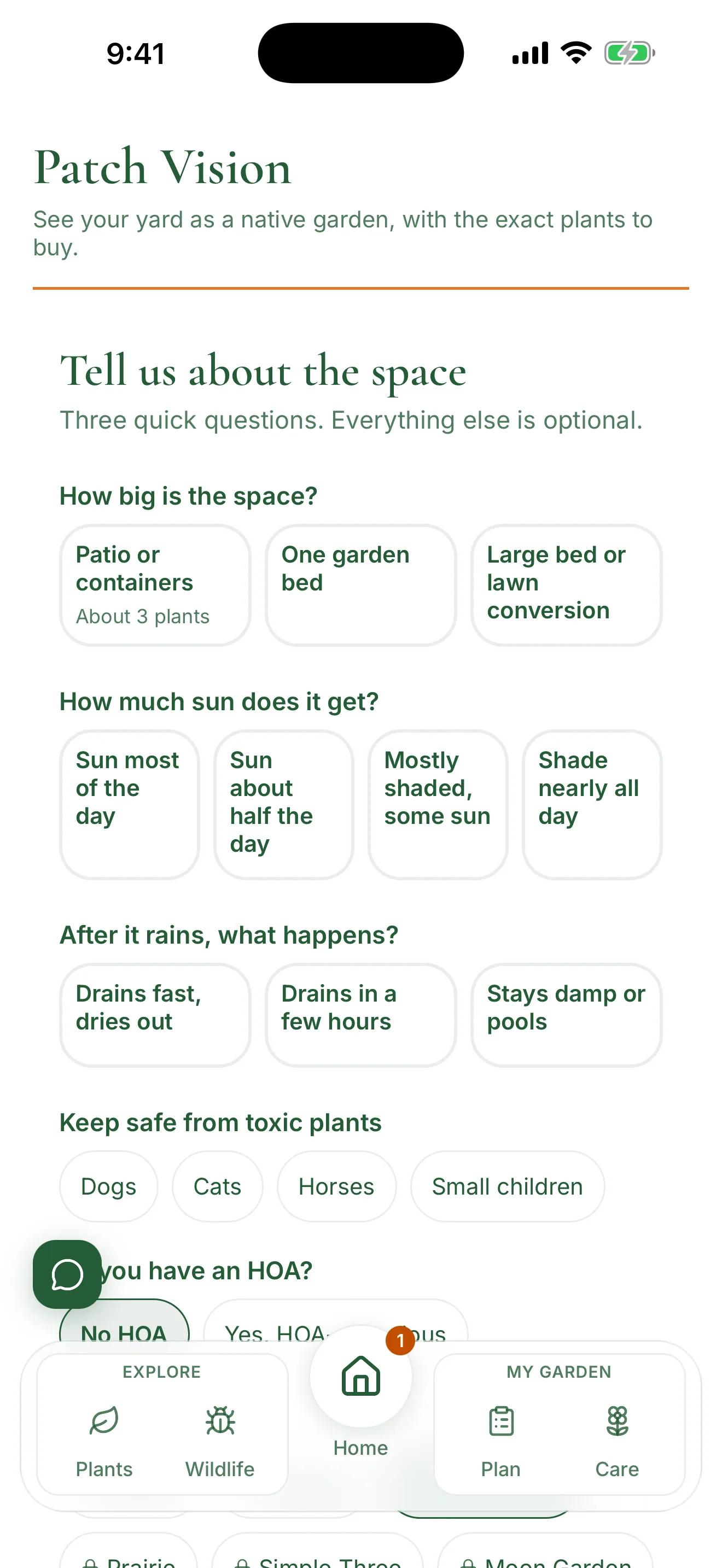
The Garden Planner is the main way to plan a bed. It asks how big the space is, how much sun it gets, what happens after it rains, what you need to keep safe from toxic plants, whether you have an HOA, and which style you want. Then it builds a real plant list for your ecoregion and renders a photo of your yard with that planting in place. When a partner nursery's shop is within about 50 miles of your ZIP, the list uses only plants that nursery has in stock right now. The image shows the plan, and a young planting looks different in its first season. The Garden Planner uses an AI image model to generate the rendering. Your yard photo is sent to our image provider to create it, and the result is a design concept, not a landscaping plan.
- Two free previews a day with no account needed, ten a day with Pro
- Every rendering carries a real plant list, a planting plan drawing, and a shareable one-page plan
- Seven styles to choose from, shown as picture cards. Neat and Tidy is free, and Formal, Cottage, Prairie, Simple Three, Moon Garden, and Rain Garden come with Pro
- Edit your answers, try a different plan, or trace your real bed on a satellite photo. All three are free and none of them uses a preview
- With Pro, place the bed on your photo before it renders. The planner suggests a spot, you drag the outline or adjust its corners, and the garden is drawn inside it. Show where the bed goes puts the outline back over your photo
- On iPhone with Pro, See it in your yard opens the bed in Apple's AR viewer at true size on your own ground, with each plant's name and the bed's dimensions
- Start it in keystone mode and it ranks the native genera that feed the most caterpillars and specialist bees in your region first, works two of them into the plan where your answers leave room, and shows the counts and the source next to each one. Free, and the verified data does not reach every region yet
- Below the cost estimate, a habitat readiness row opens a check of how a bed plan measures up against Monarch Watch’s published Monarch Waystation criteria and the National Wildlife Federation’s published habitat criteria, what is missing, and a link to each organization’s own page. Free, with one-tap plant adds on Pro. We do not certify anything and are not affiliated with either organization
- Leave the app mid-render and it keeps going. A notification tells you when it is ready
ASK PATCH
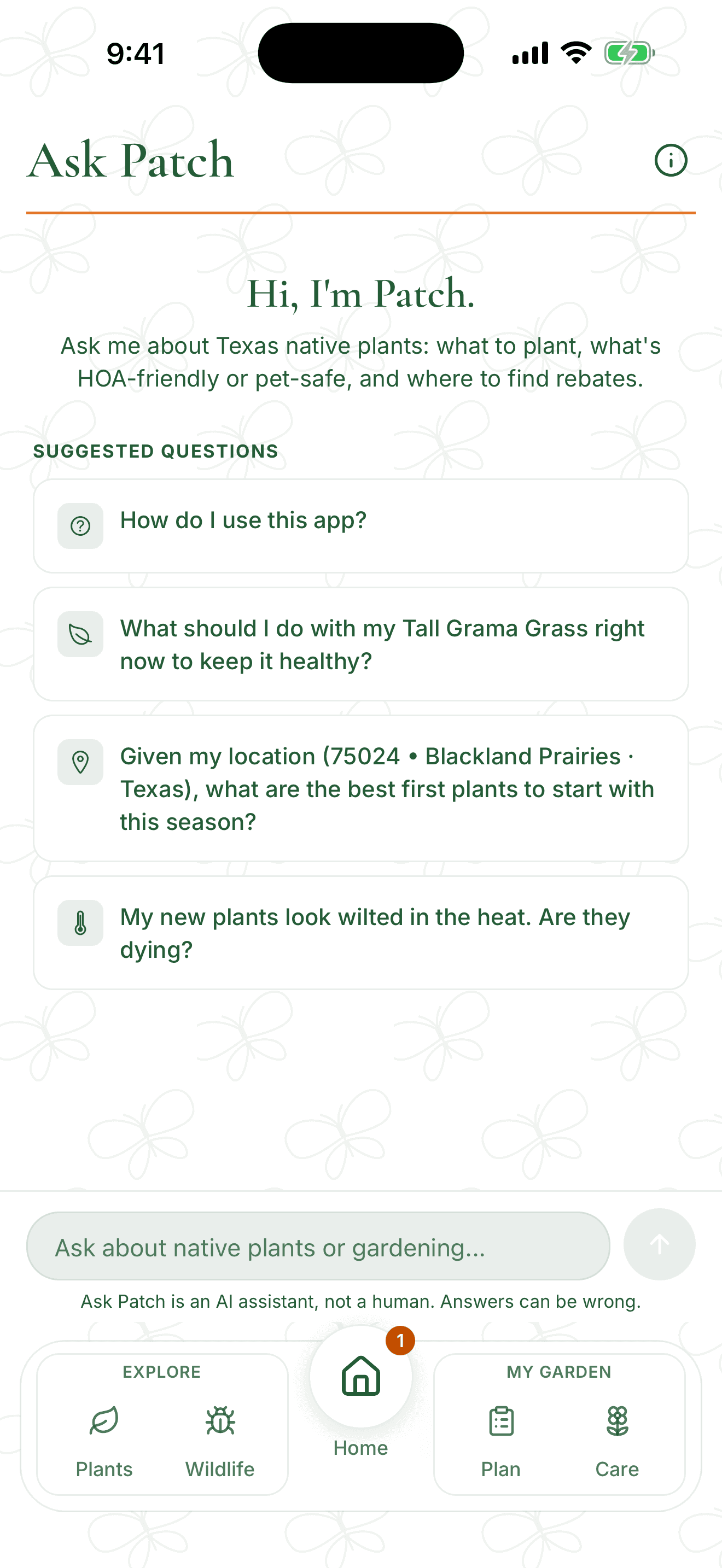
Ask Patch: answers that already know your yard
Ask Patch is the floating button on every screen. It answers in plain language and works from your location and your saved garden. Ask Patch is an AI assistant, not a human. Answers can be wrong, so verify plant safety with your vet and confirm rules with your HOA.
- Plant answers cover pet toxicity, whether the plant reads as tidy and HOA-friendly, drought tolerance, bloom season, and what it feeds
- Plant and bee names inside an answer are tappable and open the full page in Explore
- Ask it to review your garden journal and it reads your recent entries
- Conversations are saved so you can pick them up later, and one started from a plant shows on that plant’s History. Reopening your most recent conversation is free, older ones are Pro, and reopening never uses a question.
- Ask about a specific plant and it already knows that plant’s recent history, so it can pick up from the problem you looked into last month instead of starting over. It reads exactly as much history as you can see on your own screen.
- Bug reports and ideas go straight to the developer from the same chat
When you want to add something
ZIP code, bed size, sun, and water
Planning is the second half of the app, and four answers are enough to build a plan. Everything after them is optional, and each one narrows the plant list a little further.
ZIP code
Your ZIP resolves to an EPA Level III ecoregion, a boundary that follows soil and rainfall instead of state lines. Every plant suggested is native to that region.
Bed size
Pick small, medium, large, or a custom size in feet. Alongside it you choose how many different species you want, which sets how the bed fills in.
Sun
Full sun is six hours or more. Part sun is three to six. Shade is under three. Most front-yard beds get more sun than people expect. If you are not sure, Map your sun on the Plan tab measures it on a finer four-level scale.
Water
Low, medium, or high. Low leans on plants that live on rainfall once their roots are established.
The optional questions
The Garden Planner asks three questions first, then optional ones: the look you want, whether you have an HOA, and whether there are pets to keep safe. Answer the pet question and the plan leaves out species the ASPCA Animal Poison Control Center lists as toxic to dogs, cats, or horses (aspca.org). Skip any of them and the plan still builds.
The Garden Planner questions
What you get back
A one-page plan, a plan page, and your HOA paperwork
Everything below is built from the same handful of answers, for your ecoregion and your bed.
The plan and its plant list
Nurseries sorted by distance
The one-page plan
One shareable page holding the before and after views, the plant list with quantities, a twelve-month bloom row, the numbers for your bed, a savings summary, and the sources behind the plant choices. It exports as a PDF.
The plan page
Each plan opens to its own page: the site plan, the plant list with a bloom row for each plant, a progress bar across four steps, and a Files list holding every preview, one-page plan, packet and letter it produced.
The Plan packet PDF, with Pro
A polished export of a saved plan built for submitting to an HOA for review, in four sections: HOA Review Summary, Installation Details, Homeowner DIY Guide, and Appendix: Notes and Disclaimers. It presents your plan for review and does not include dispute help.
The HOA approval letter, with Pro
A courteous notice built from your saved plan, addressed to your review committee. It describes the bed, the plants, and the maintenance you are committing to, and asks the committee to review it. It cites no statutes and never claims a design is approved or compliant. You can read a full watermarked example before upgrading. It is not legal advice.
Nurseries and care reminders
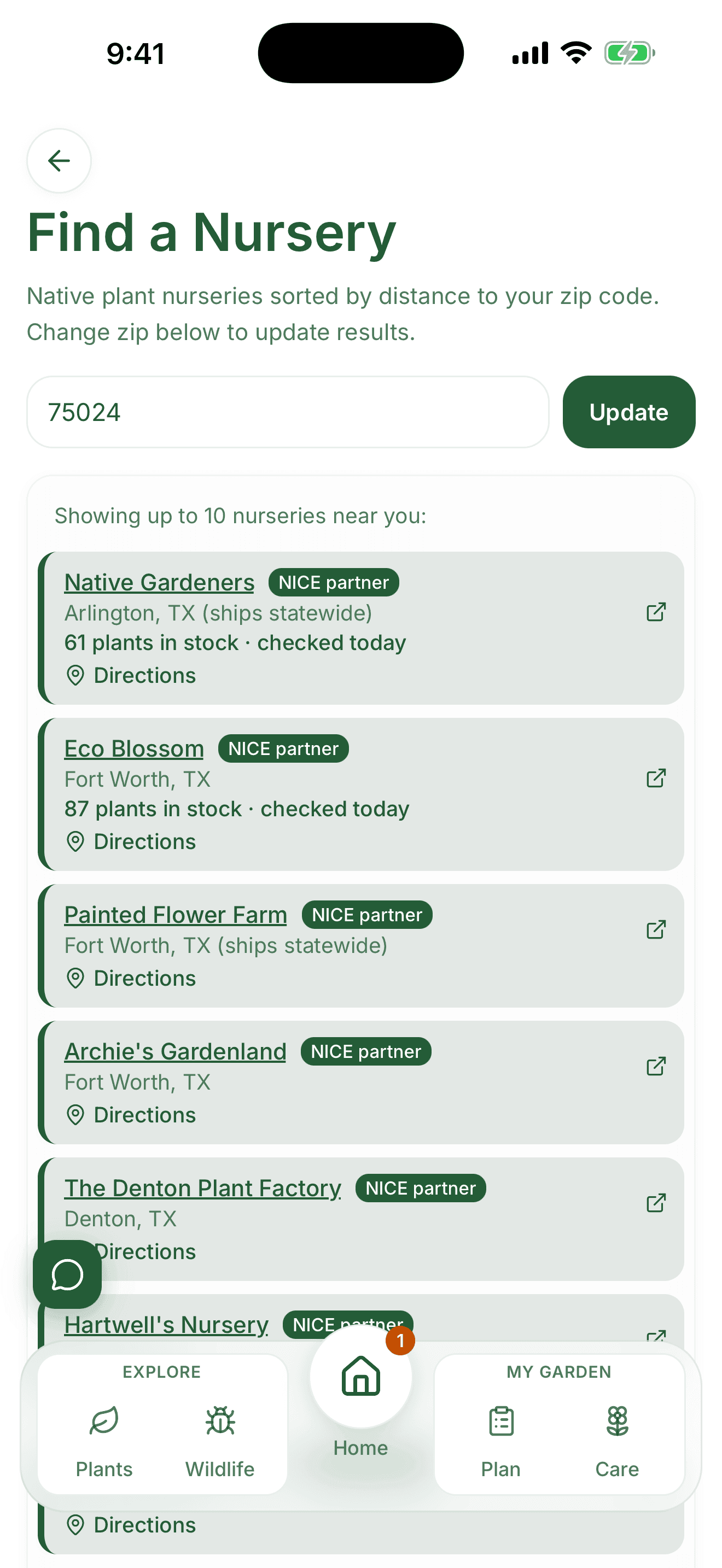
Find a Nursery sorts native plant nurseries by distance from your ZIP, and shows how many of your plants a partner has in stock and when that was last checked. Once plants are in your garden, watering and seasonal care tasks arrive as notifications timed to your region.
Rebates
From a ZIP code to a ready-to-file packet
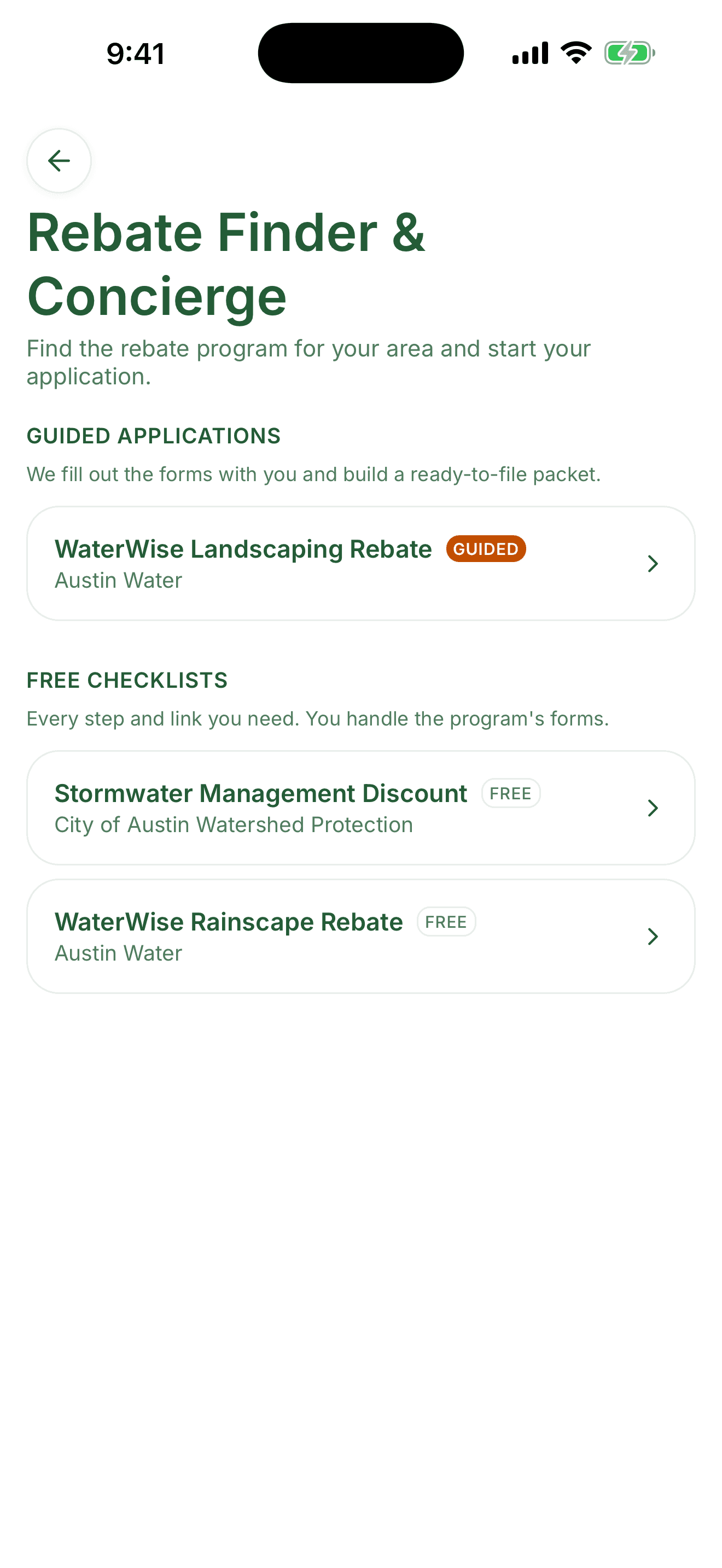
The finder lists the turf replacement and native landscaping programs for the area your ZIP falls in. It opens from the Find Rebates row on the Plan tab, and it is also the first step of a garden project.
Programs come in two forms. A guided application fills out the forms with you and builds a ready-to-file packet, with your garden plan, plant list, and photos attached, and it keeps your before and after photos, receipts, and notes together in one place. A free checklist gives you every step and link you need, and you handle the program paperwork yourself. On the website, any open program can add a 30-minute call with Stephen, the founder, for a one-time $29.99.
Dozens of programs have a guided application today, among them Austin Water WaterWise, SAWS WaterSaver, and Utah Water Savers. Each guided program's page carries its free application checklist and the one-time $29.99 call.
Where no program covers your area yet, the finder says so rather than guessing.
Tiers
What is free and what needs Pro
Free, no limit
- Patch Score, the garden journal, and your life list
- Finding rebate programs, and the do-it-yourself checklists
- Watering reminders and general care for every plant in your garden
- Organic lawn care for the grass you already have, timed to your area
- Seasonal, month-by-month care tips for every plant in your garden
- Browsing plants, wildlife, and Learn guides
- Starting a garden project, or adding the plants you already have
- Map your sun, a sun map of your yard from your own readings
- Yard School, five short lessons each with one thing to do in the app
Free, with a limit
- One plant problem check a month, with the county Extension link never gated
- Two Garden Planner previews a day
- Plant identification from a photo
- Three Ask Patch questions a month
- The Neat and Tidy style, plus editing your answers, trying a different plan, and tracing your bed
- The one-page plan, the cost range, and the rebate button on any Garden Planner result
- Saving up to five plants, three butterflies and moths, and three bees
Where Pro raises the ceiling
- Ten Garden Planner renderings a day
- Unlimited plant identification
- Six more Garden Planner styles: Formal, Cottage, Prairie, Simple Three, Moon Garden, and Rain Garden
- The Plan packet PDF and the HOA approval letter
Questions
Questions about how the app works
Do I need to know anything about plants to use it?
No. The planner asks a few questions about your yard and hands back a species list with quantities, spacing, and a planting order. Ask Patch handles anything the plan leaves unclear.
What does the app do with my ZIP code?
It resolves your ZIP to an EPA Level III ecoregion, which is a much tighter fit than a state line. Plant suggestions, care timing, and which rebate programs you see all key off that.
Can it leave out plants that are risky for my dog or cat?
Yes. The planner asks whether you have pets and which ones, then leaves out species the ASPCA Animal Poison Control Center lists as toxic to those animals (aspca.org). If a pet does eat something, the ASPCA poison hotline is (888) 426-4435.
What is actually in the plan?
The site plan, the plant list with quantities and a bloom row for each plant, a cost range, and the rebate program the plan qualifies for. With Pro you can also export the whole thing as a Plan packet PDF, and an HOA approval letter to go with it.
Does it work outside Texas?
Yes, nationwide. Plant coverage runs deepest where we have done the most sourcing, and rebate guidance depends on which programs exist near you, so what you see varies by region.
Start with the plants you already have
Adding a plant takes a minute, and care costs nothing.