Search "landscape design app" and you get a wall of tools that mostly do the same thing: show you a picture of a redesigned yard. Some let you drop objects onto a photo, some generate the whole scene from one snapshot, and a few let you draw a plan to scale. They are useful, and they are not all the same. The clearest way to sort them is by the job they do, not by how the screenshots look. Here is the field, grouped by job, what reviewers flag about each, and where Pollinator Patch does something different. For the wider set of plant ID and plant care apps, see our field guide to garden and plant apps.
The field at a glance
Eight of the most searched landscape design tools, plus Pollinator Patch, sorted by what each is actually built to do. The last two columns are the ones almost no visualizer covers: whether the plants it shows are matched to where you live, and whether it helps the design read as intentional to an HOA.
| App | Built for | Shows a yard render | To-scale layout | Region-matched plants | HOA and rebate help |
|---|---|---|---|---|---|
| Pollinator Patch | HOA-friendly native front-yard planning plus rebate lookup | Yes, the Garden Planner | Partial, planner layout | Yes, by ZIP and ecoregion | Yes |
| iScape | DIY and pro design with AR object placement | Yes | Partial | No | No |
| PRO Landscape Home | Place plants on a photo of your house | Yes | No | No | No |
| Neighborbrite | Render a redesign from one photo | Yes | No | No | No |
| Dreamyard.ai | Render multiple redesign options from a photo | Yes | No | No | No |
| AI Garden | Render a redesign from a photo | Yes | No | No | No |
| OutdoorBrite | Render a redesign from a photo | Yes | No | No | No |
| Planner 5D | To-scale 2D and 3D home and yard planning | Partial, 3D model | Yes | No | No |
| SketchUp Free | Browser-based 3D modeling | Partial, 3D model | Yes | No | No |
Categories based on each app's own store listing and website, July 2026. Features and pricing change often, so check the current listing before you buy.
What does a landscape design app actually do?
Under the marketing, these apps fall into three jobs. Knowing which one you need sorts the whole list quickly.
- Photo and AR object placement. Take a photo of your yard, then drag trees, shrubs, and hardscape onto it, sometimes in augmented reality so you can walk the space. iScape and PRO Landscape Home live here.
- Render from a photo. Upload one snapshot, pick a style, and get a finished-looking redesign back in seconds. Neighborbrite, Dreamyard.ai, AI Garden, and OutdoorBrite work this way.
- To-scale drawing. Build a measured 2D or 3D plan with real dimensions, better for patios, beds, and square footage than for a photorealistic preview. Planner 5D and SketchUp Free sit here.
Photo and AR visualizers: iScape and PRO Landscape Home
These are the classic drag-and-drop tools, and they are good at their job. You start from a real photo of your house, drop in plants and hardscape, and get a believable preview of a specific change, a bed along the walkway, a tree by the porch, pavers instead of grass. iScape adds an augmented-reality mode so you can see the design in place through your camera, and it is the tool a lot of pros and homeowners reach for first.
Worth knowing before you commit: iScape runs on a subscription. It has a free tier, but reviewers describe it as thin, with most of the plant and object library and the design tools behind Pro, which was $29.99 a month or $299.99 a year as of July 2026. PRO Landscape Home is free to start with its own paid upgrades. Both place plants as generic objects, so the picture tells you how a shape looks, not whether that plant belongs in your soil and climate.
Render-from-photo apps: Neighborbrite, Dreamyard, AI Garden, OutdoorBrite
This is the category that exploded in the last year. You upload one photo, choose a look, and the app returns a polished redesign, often several at once. Neighborbrite, Dreamyard.ai, AI Garden, and OutdoorBrite all work this way, and they are genuinely helpful when you are staring at a blank yard with no idea where to start.
The honest limit is the gap between a render and a plantable plan. A convincing image is the easy part. It usually does not confirm that the plants in the picture are native to your area, that they will survive your rainfall and soil, how large they grow, or whether the finished look will read as intentional to an HOA reviewer. Many of these apps treat plant choice as a visual style rather than a regional fact, so the render is a mood board, not a shopping list. Treat it as inspiration, then check the plants against a regional source before you buy anything.
OutdoorBrite vs Neighborbrite
These two come up together in searches, and they do the same core job: upload a photo, pick a style, and get a redesign back. Where they differ is access. Neighborbrite runs on the web, iPhone, and Android, has a free tier, and says it suggests plants by color, size, and local climate. OutdoorBrite runs in the browser, offers more than 50 design styles, and describes itself as a paid product with no free tier (each company's own site, checked September 2026). With either one, check the plants in the render against a regional native source before you buy.
To-scale planners and CAD: Planner 5D and SketchUp Free
If your problem is measurement rather than inspiration, these are the better fit. Planner 5D lets you lay out a yard in 2D and view it in 3D, which is practical for placing patios, beds, and paths at real dimensions. SketchUp Free is a full browser-based 3D modeler with a steeper learning curve and near-total control over every dimension. Both are precise.
Neither is plant-aware or region-aware. They are general design tools that happen to work for yards, so the plant knowledge, what belongs where you live and how it behaves over a season, is on you. They answer "will it fit," not "will it thrive."
What to watch for when you choose an app
Across the reviews, the same few frustrations come up again and again. None of these make the apps bad, but they are worth knowing before you subscribe.
- Thin free tiers. Reviewers frequently mention that the free version is limited enough that the useful features sit behind a subscription, and that the "free" label oversells it.
- Stability in AR. The augmented-reality and render modes are the most demanding, and reviewers report crashes and slow loads on larger designs.
- Generic plant catalogs. Plants are placed as look-alike objects rather than region-matched species, so the picture can suggest a plant that will not do well where you live.
Frustrations summarized from aggregated App Store and Google Play reviews, July 2026.
The part they skip: region-right plants, HOA-friendly design, and rebates
Here is the gap the whole category leaves open. Plenty of apps will render a pretty yard or place a tree on a photo. Very few help with the two things that actually stop HOA-conscious homeowners from converting a front yard: will this draw a complaint, and can I get help paying for it.
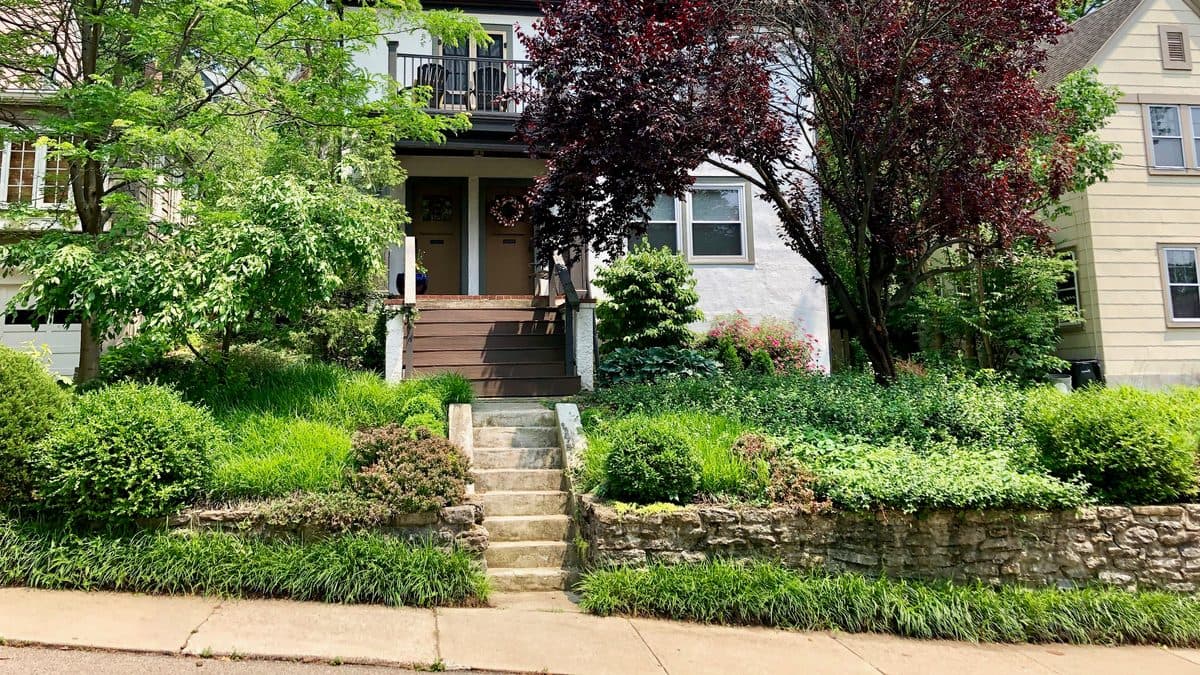
On the HOA side, design choices matter as much as plant choices. Low borders, mounded shapes, clean mulched edges, and visible structure are the cues that read as intentional to a reviewer. Where state law applies, it can also be on your side. Texas Property Code §202.007, for example, limits how an HOA can restrict water-conserving landscaping. Pollinator Patch designs around those commonly accepted cues of care, and its library of HOA articles walks through pre-approval, violation letters, and what is and is not enforceable.
On the money side, hundreds of US cities and water utilities pay homeowners to replace turf with water-wise landscaping. Those programs are real but scattered, each with its own estimator and application. Pollinator Patch looks up the rebate programs available at your address and points you to the official source. A render of your yard will not tell you that your city offers a few dollars a square foot to do the project. Pollinator Patch also flags plant toxicity to dogs, cats, and horses using the ASPCA Animal Poison Control Center plant database, so a pet-safe choice is part of the plan, not an afterthought.
Which landscape design app is best for native plants?
The visualizers treat plants as an aesthetic style, so a native-looking render is not the same as a native plant list. If native planting is the goal, you want a tool that starts from your region. Pollinator Patch matches plants to your ZIP and ecoregion, so the design maps to a yard you can actually buy and plant, and it still shows a before-and-after through the Garden Planner, generated by an AI image model like the others. For a Texas-specific look at the native options, see our best native plant apps for Texas roundup.
Where Pollinator Patch fits
Pollinator Patch is not the tool to grab if you only want a quick render to show your spouse, or a to-scale CAD drawing of a patio. The visualizers and the planners do those single jobs well. Pollinator Patch is for the homeowner who wants to convert a front yard to natives, keep the HOA calm while doing it, and find a rebate to help pay for it. That full path, from region-matched plants to HOA-friendly layout to local rebate, is the job the rest of the field mostly leaves uncovered. You can try it free on the web with no signup.
Frequently asked questions
What is the best landscape design app?
It depends on the job. iScape and PRO Landscape Home place objects on a photo of your yard; Neighborbrite, Dreamyard, AI Garden, and OutdoorBrite generate a render from a photo; Planner 5D and SketchUp Free draw to scale. For planning a region-appropriate native yard that reads as HOA-friendly, and finding rebates, Pollinator Patch covers that path.
What are the best iScape alternatives?
It depends on what you want instead. PRO Landscape Home also places plants and hardscape on a photo of your yard. Neighborbrite, Dreamyard, AI Garden, and OutdoorBrite generate a finished render from one photo. Planner 5D and SketchUp Free draw to scale. For plants matched to your ZIP and ecoregion, HOA-friendly layout cues, and local rebates, Pollinator Patch covers that path.
Is iScape free?
iScape has a free tier, but reviewers note it is limited, with most of the plant library and design tools behind a subscription (Pro was $29.99/mo or $299.99/yr as of July 2026). Check the current listing before you buy.
What is the difference between OutdoorBrite and Neighborbrite?
Both turn one photo of your yard into a redesign in a chosen style. Neighborbrite runs on the web, iPhone, and Android, has a free tier, and says it suggests plants by color, size, and local climate. OutdoorBrite runs in the browser, offers more than 50 design styles, and describes itself as a paid product with no free tier (each company's own site, checked September 2026).
What is the best free landscape design app?
Most are free to start but gate the useful features. SketchUp Free is a genuinely free browser 3D modeler with a learning curve. Pollinator Patch is free to start, including two finished Garden Planner before-and-afters a day with no account needed, and Pro raises that to ten a day.
Which landscape design app is best for native plants?
The visualizers treat plants as an aesthetic style rather than a regional fact. Pollinator Patch matches plants to your ZIP and ecoregion, so the design maps to a yard you can actually buy and plant.
Are AI landscape design apps accurate?
Render apps produce convincing, inspiring images, but the picture is the easy part. Many do not confirm the plants shown are native to your area, suited to your soil and rainfall, or sized for the space. Treat the render as inspiration and check the plant list against a regional source.
Can a landscape design app help with HOA approval?
Very few do. Most stop at the picture. Pollinator Patch designs around HOA-friendly cues of care and, where state law applies such as Texas Property Code §202.007 on water-conserving landscaping, points you to it.
Plan a native front yard with Pollinator Patch
Get plants matched to your ZIP and ecoregion, an HOA-friendly layout, and the rebate programs available in your city. Free to try on the web.
Open the app